
Key Takeaways
- Leaving QuickBooks may seem like a solution, but it doesn’t address underlying bookkeeping issues.
- Evaluate specific problems before deciding to switch software, as they may stem from poor data management, not the tool itself.
- Consider bookkeeping cleanup, better training, or improved routines to enhance your experience with QuickBooks.
- When switching, thoroughly compare your current setup with new options to avoid potential migration problems.
- Consult a financial professional to sort out current records and review conditions before making software changes.
Leaving QuickBooks may feel like the obvious solution when the software becomes frustrating. At this point, you might wonder: should I leave QuickBooks and look for another solution? Reports do not make sense, bank-feed transactions pile up, account balances look wrong, and bookkeeping takes more time than expected.
However, switching accounting software does not always solve the underlying problem.
QuickBooks may no longer fit your business. On the other hand, the software may simply contain incomplete, inaccurate, or disorganized records. Moving those records to another platform can carry the same problems into the new system.
Before you leave QuickBooks, determine whether you need different software, bookkeeping cleanup, better training, or ongoing accounting support.
Why Are You Thinking About Leaving QuickBooks?
Start by identifying the specific problem you want to solve.
“QuickBooks is too difficult” may describe the frustration, but it does not explain the cause. A more useful answer might be:
- I do not understand the reports.
- My bank balance does not match QuickBooks.
- Transactions keep appearing twice.
- I cannot tell whether the business made money.
- The monthly subscription costs more than I expected.
- My chart of accounts has become disorganized.
- I spend too much time reviewing bank-feed activity.
- My bookkeeper or tax preparer cannot trust the records.
- The software does not work well with another system I use.
- My business has outgrown the current process.
- I no longer use enough features to justify the cost.
Each problem points toward a different solution.
For example, inaccurate reports may require bookkeeping cleanup. A poor workflow may call for training or professional support. Missing industry-specific features could provide a valid reason to consider another platform.
Unless you define the problem first, you may invest time and money in a change that does not improve your bookkeeping.
Is QuickBooks the Problem—or Are the Books Incomplete?
Accounting software organizes the information entered into it. The program cannot always determine whether the information is accurate, complete, or supported by proper documentation.
Suppose a contractor categorizes loan payments as vehicle expenses. QuickBooks will record the entries, but the financial reports may not show the loan balance or interest correctly.
Likewise, a consultant might add downloaded deposits as income even though QuickBooks already recorded the related invoice payments. The duplicate entries can overstate revenue.
Neither problem proves that the software has failed. Instead, the bookkeeping process needs review.
Warning signs that the books may need attention include:
- Accounts have not been reconciled recently.
- QuickBooks contains old uncategorized transactions.
- Bank-feed items remain unreviewed for several months.
- Income or expenses appear unusually high.
- The Balance Sheet includes balances you cannot explain.
- Negative account balances appear where they do not make sense.
- Customer invoices remain open after payment.
- Vendor bills remain unpaid in QuickBooks even though you paid them.
- Personal and business activity appears in the same accounts.
- Loan payments do not reduce the related loan balances.
- Sales tax or payroll liability accounts look incorrect.
- The Profit and Loss statement changes significantly after someone reviews the books.
Changing software will not automatically correct those issues. Unless someone cleans up the records, the new platform may begin with unreliable balances.
Would Bookkeeping Cleanup Solve the Problem?
Bookkeeping cleanup focuses on correcting and organizing existing records.
Depending on the condition of the books, cleanup may include:
- Reviewing transaction categories
- Removing or correcting duplicate entries
- Reconciling bank and credit card accounts
- Investigating unexplained balances
- Organizing the chart of accounts
- Correcting customer and vendor activity
- Reviewing loans and credit cards
- Separating personal and business transactions
- Correcting opening balances
- Reviewing accounts receivable and accounts payable
- Preparing reliable financial reports
Cleanup does not require a business to remain with QuickBooks permanently. Instead, it helps establish accurate records before the owner decides what to do next.
Reliable books make the decision easier. After cleanup, you can judge whether QuickBooks still creates problems or whether inaccurate records caused most of the frustration.
Clean books also create a stronger starting point if you choose to migrate. You will know which balances should appear in the new system.
Have You Reconciled the Accounts?
Reconciliation means comparing the activity recorded in QuickBooks with the corresponding bank or credit card statement.
This process helps confirm that transactions have not been omitted, duplicated, changed, or incorrectly recorded. Intuit describes reconciliation as matching transactions in QuickBooks with bank and credit card statements so the accounts agree. (QuickBooks)
A connected bank feed does not replace reconciliation.
The bank feed downloads information from the financial institution. However, users still decide whether to add, match, exclude, or investigate each item. A duplicate, incorrect match, deleted transaction, or inaccurate opening balance can create differences between the books and the statement.
Before blaming the software, check whether someone has reconciled every business bank and credit card account through the most recent statement date.
When reconciliations have fallen behind, the business may need catch-up bookkeeping rather than a new accounting program.
Does the Chart of Accounts Need Attention?
The chart of accounts provides the structure for your financial records. It tells the accounting system where to organize assets, debts, income, expenses, and owner activity.
A poorly organized chart of accounts can make QuickBooks feel more complicated than it needs to be.
Common problems include:
- Several accounts that mean nearly the same thing
- Vague categories such as Miscellaneous Expense
- Personal accounts mixed with business accounts
- Old bank or credit card accounts that still appear active
- Income accounts that do not match the company’s services
- Equipment purchases recorded as ordinary office supplies
- Loan balances placed in expense accounts
- Owner draws recorded as business expenses
- Accounts created for individual vendors
- Too many categories for the owner to use consistently
QuickBooks uses account types and detail types to determine where financial information appears on reports such as the Profit and Loss statement and Balance Sheet. Therefore, incorrect account setup can affect how the reports present the business. (QuickBooks)
A thoughtful chart-of-accounts cleanup may improve the reports without requiring a software change.
Are You Expecting the Software to Make Bookkeeping Decisions?
Automation can save time, but it still needs oversight.
Bank rules, suggested categories, receipt scanning, and automatic matching can help organize routine transactions. Nevertheless, software does not always understand the business purpose behind a payment.
Consider a purchase from a home improvement store. The charge could include:
- Materials purchased for a customer project
- Equipment that the business will use for several years
- Cleaning supplies
- Safety gear
- Personal items
- A refundable deposit
The vendor name alone does not explain how the transaction should appear in the books.
Similarly, a deposit could represent sales, a loan, an owner contribution, a refund, a reimbursement, or a transfer between accounts. Recording every deposit as income would make the Profit and Loss statement unreliable.
Switching platforms will not remove the need for judgment. Every accounting system depends on accurate information, consistent procedures, and human review.
Do You Need Better Reports Rather Than Different Software?
Some business owners consider leaving QuickBooks because they cannot understand the reports.
That concern deserves attention. Financial reports should help you understand the business rather than create more confusion.
Still, the problem may involve report setup or bookkeeping quality instead of the software itself.
Start with three basic reports:
Profit and Loss statement
The Profit and Loss statement summarizes income and expenses over a selected period. It helps show whether the business generated a profit or loss.
If the report looks wrong, review the date range, accounting method, categories, duplicate transactions, and missing activity.
Balance Sheet
The Balance Sheet shows what the business owns, what it owes, and the owner’s financial interest at a specific point in time.
Unreconciled accounts, incorrect loan entries, old customer balances, and personal activity can make this report difficult to trust.
Statement of Cash Flows
The Statement of Cash Flows explains how operating, investing, and financing activities affected cash.
Profit and cash do not always move together. Loan payments, equipment purchases, owner withdrawals, unpaid invoices, and unpaid bills can create differences.
Changing software may not make these reports easier to understand if the underlying records remain inaccurate. In many cases, the owner needs accounting support that explains what the reports mean and why the numbers changed.
Would Training or a Better Monthly Routine Help?
QuickBooks can feel overwhelming when no one has established a consistent process.
A business owner might log in occasionally, review a few downloaded transactions, and leave the rest for tax season. Over time, the unfinished activity builds up and reports become less useful.
A monthly bookkeeping routine may include:
- Collecting bank, credit card, loan, and payment processor statements
- Reviewing downloaded transactions
- Matching payments with invoices and bills
- Categorizing business activity
- Separating personal transactions
- Recording loans, equipment, and owner activity correctly
- Reconciling every account
- Reviewing customer and vendor balances
- Running financial reports
- Investigating unusual changes
Training can also help when the owner uses the software regularly but does not understand a particular feature.
For example, the business may need guidance on:
- Sending invoices
- Recording customer payments
- Entering vendor bills
- Managing bank rules
- Tracking projects
- Using classes or locations
- Reviewing reports
- Correcting common bank-feed problems
- Giving an outside professional appropriate access
Better procedures may reduce frustration enough to make QuickBooks workable again.
When Might Leaving QuickBooks Make Sense?
Not every business should remain with QuickBooks.
A change may make sense when another platform clearly supports the company’s needs more effectively.
Possible reasons include:
The software no longer fits the workflow
Perhaps employees avoid using the system because it does not align with how they create estimates, track jobs, manage inventory, or communicate with customers.
A platform that fits the daily workflow may improve consistency.
An industry-specific system provides necessary features
Some businesses need specialized tools for construction, property management, manufacturing, medical billing, legal billing, nonprofit accounting, or another industry.
QuickBooks may still connect with those tools, but another accounting solution could offer a better overall fit.
The business has outgrown the current setup
Growth can increase transaction volume, reporting needs, user permissions, inventory requirements, departmental tracking, or integration complexity.
At some point, the company may need a more advanced accounting or enterprise system.
The business uses too few features
A sole proprietor with limited activity may pay for capabilities that they rarely use.
However, the owner should compare more than the subscription price. Consider reporting, tax preparation, document retention, support, integrations, and the time required to maintain the books.
Another platform integrates more effectively
A business may rely heavily on a point-of-sale system, industry platform, payment processor, expense application, or customer management system.
Poor integration can create duplicate work and increase the risk of errors.
Your accounting professional recommends a change
A bookkeeper, accountant, or CPA may identify limitations that affect reporting, controls, tax preparation, or efficiency.
Ask the professional to explain which problem the new system will solve and what the transition will require.
When Should You Stay With QuickBooks for Now?
Leaving QuickBooks may not be the best immediate step when:
- The books are several months behind.
- Accounts have not been reconciled.
- No one has reviewed the chart of accounts.
- The owner has not received basic training.
- Reports contain known errors.
- The business has no replacement system selected.
- A major tax or reporting deadline is approaching.
- Payroll, sales tax, or inventory records require careful review.
- The proposed change focuses only on subscription price.
- The business cannot explain what the new software will improve.
Staying temporarily does not mean you must keep QuickBooks forever.
Instead, use the time to organize the records, clarify your requirements, compare systems, and plan the transition. A rushed change can create more confusion than the original problem.
What Should You Compare Before Switching?
Do not choose accounting software based only on a feature list or introductory price.
Consider how each option handles the work your business actually performs.
Compare:
- Bank and credit card connections
- Reconciliation tools
- Invoicing
- Customer payments
- Vendor bills
- Accounts receivable
- Accounts payable
- Payroll connections
- Sales tax
- Inventory
- Project or job tracking
- Classes, departments, or locations
- Financial reports
- User permissions
- Accountant or bookkeeper access
- Receipt and document storage
- Data export options
- Third-party integrations
- Customer support
- Subscription pricing
- Price changes as the business grows
- Migration limits
- Data retention after cancellation
Ask who will maintain the new system each month. Even the best software will not produce dependable financial information without a clear bookkeeping process.
Could Switching Create New Problems?
Every migration carries some risk.
Customer names, vendor records, account balances, invoices, bills, payroll details, sales tax information, attachments, and transaction history may not transfer in exactly the same format.
A new platform may use different account types, reporting methods, terminology, or workflows. Employees and owners will also need time to learn the system.
Common migration problems include:
- Incorrect opening balances
- Missing transaction details
- Duplicate customers or vendors
- Unapplied customer payments
- Unpaid invoices that do not match the old system
- Vendor balances that transfer incorrectly
- Missing attachments
- Changed report totals
- Incomplete payroll history
- Broken integrations
- Transactions entered in both systems
- Unclear responsibility for the cutoff period
These risks do not mean you should avoid switching. They mean the change requires planning, testing, and verification.
How Can You Test Whether Another System Is Better?
Whenever practical, test the proposed system before canceling QuickBooks.
Use realistic tasks rather than relying only on a sales demonstration.
Try to:
- Create an invoice
- Record a customer payment
- Enter an expense
- Record a vendor bill
- Connect or import bank activity
- Reconcile an account
- Review a Profit and Loss statement
- Review a Balance Sheet
- Find an old transaction
- Export a report
- Invite a bookkeeper or accountant
- Correct a mistake
- Attach a receipt
- Track a project or customer
- Review the mobile experience, if relevant
Pay attention to the full process. A platform may look simpler at first but require extra spreadsheets, manual entries, or outside applications to replace features you currently use.
Include the people who will work in the system. The owner, bookkeeper, office manager, tax preparer, and operations team may notice different strengths and limitations.
What Should You Do Before Making the Final Decision?
Use a structured review instead of making the decision during a frustrating bookkeeping session.
Step 1: Define the problem
Write down what does not work and how it affects the business.
For example:
“I cannot rely on the Profit and Loss statement because several accounts have not been reconciled.”
That description points toward cleanup and reconciliation.
By contrast:
“Our job-management platform does not connect properly with QuickBooks, so employees enter the same information twice.”
That problem may support a software change.
Step 2: Review the condition of the books
Determine whether the records are current, complete, and reconciled.
Unreliable books make it difficult to compare systems because you do not have trustworthy starting balances.
Step 3: Identify required features
Separate necessary features from features that would simply be convenient.
Consider current requirements as well as realistic future needs.
Step 4: Estimate the total cost
Include more than the monthly subscription.
Consider:
- Migration assistance
- Bookkeeping cleanup
- Staff training
- New integrations
- Lost productivity
- Parallel subscriptions
- Professional review
- Ongoing bookkeeping time
A lower subscription price does not always produce a lower total cost.
Step 5: Ask your financial professionals
Your bookkeeper, accountant, tax preparer, or CPA may need access to the records.
Confirm that the proposed system supports their work and provides the reports they need.
Step 6: Decide whether to fix, stay, or switch
You may choose one of three paths:
- Clean up QuickBooks and continue using it.
- Improve the monthly process and reevaluate later.
- Clean up the records and move to another platform.
Each path can be reasonable when it addresses the actual problem.
What If You Decide to Leave QuickBooks?
Do not cancel the subscription immediately.
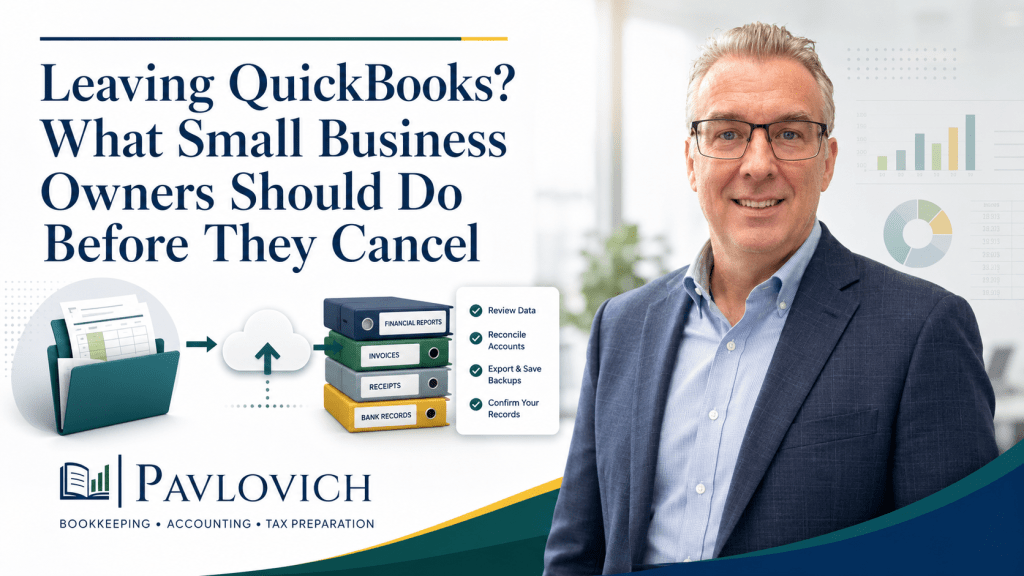
First, bring the books up to date and reconcile the accounts. Next, choose a cutoff date and export the reports, lists, documents, and transaction details you may need later.
After the migration, compare the old and new reports. Confirm bank balances, credit cards, customer balances, vendor balances, loans, payroll liabilities, sales tax, and owner equity.
Intuit currently states that canceled QuickBooks Online subscriptions generally retain read-only access for one year. It also recommends exporting data for longer-term recordkeeping. Policies can change, so review the current terms for your account before canceling. (QuickBooks)
Keep QuickBooks active until you have verified the new system and preserved the necessary records.
When Should You Get Professional Help?
Consider professional support when you cannot tell whether the software or the bookkeeping has caused the problem.
A bookkeeping and accounting professional can review:
- The condition of the existing records
- Bank and credit card reconciliations
- The chart of accounts
- Customer and vendor balances
- Financial reports
- Bank-feed procedures
- Connected applications
- Payroll and sales tax records
- The proposed migration plan
- Opening balances in the new system
Some businesses need bookkeeping cleanup before they make any software decision. Others benefit from training, monthly bookkeeping, or financial reporting support.
Complex inventory, payroll, tax, entity, or accounting questions may also require help from a CPA or another specialized professional.
Make the Decision Based on the Real Problem
Leaving QuickBooks may improve your bookkeeping process when another system clearly fits your business better. However, a software change cannot replace accurate records, reconciled accounts, organized procedures, and thoughtful financial review.
Start by identifying what has gone wrong. Then determine whether cleanup, training, better monthly bookkeeping, or a different platform provides the most practical solution.
When the books are accurate, you can compare your options with confidence instead of making the decision out of frustration.
Not sure whether you should leave QuickBooks or fix the books you already have? Schedule a consultation with Pavlovich Bookkeeping & Accounting to review your current records and determine the best place to begin.