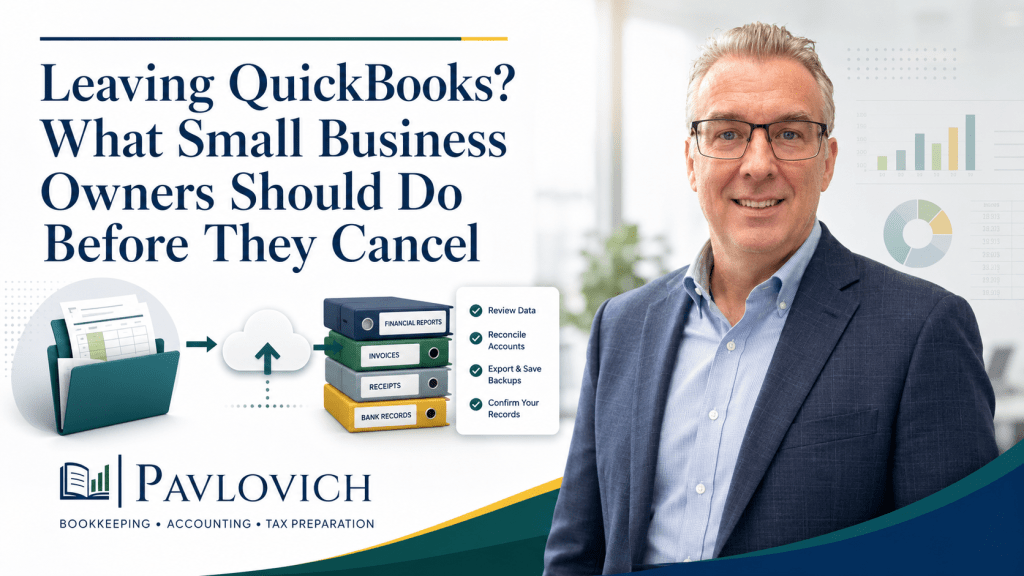

Key Takeaways
- QuickBooks mistakes often arise from small issues that accumulate over time, leading to inaccurate financial records.
- Avoid treating bank feeds as final; always review suggested categories before posting transactions.
- Prevent duplicates by matching transactions instead of adding them, especially for invoices and payments.
- Regularly reconcile bank and credit card accounts to maintain accurate balances and catch errors early.
- Keep personal and business transactions separate for clearer financial reporting and easier tax preparation.
QuickBooks can help a small business organize transactions, invoice customers, monitor expenses, and produce financial reports. However, it’s important to be aware of common QuickBooks mistakes, since the software cannot determine the full story behind every deposit, payment, transfer, or receipt.
Most QuickBooks mistakes do not begin with one dramatic error. Instead, small problems build over time. A bank transaction gets added twice. A loan payment goes entirely to an expense category. A bank rule handles an unusual purchase incorrectly. One skipped reconciliation turns into six months of unreliable balances.
Eventually, the business owner opens a profit and loss statement and cannot explain the numbers.
Well-organized QuickBooks records should help you understand how your business performed, what it owns, what it owes, and where its cash went. Avoiding the following mistakes makes those reports easier to trust and keeps your financial records better prepared for tax time.
Mistake 1: Treating the Bank Feed as Finished Bookkeeping
Connecting a bank account does not complete the bookkeeping process.
QuickBooks downloads activity from connected financial accounts and suggests how to handle many transactions. The business owner or bookkeeper still needs to review those suggestions, choose the appropriate category, match existing records, and confirm the business purpose. QuickBooks places downloaded activity in a review area for that reason. (QuickBooks)
A bank feed usually provides limited information:
- Transaction date
- Merchant or bank description
- Amount
- Bank account
- Suggested payee or category
That information may not explain what the business purchased.
For example, a $700 charge from a home improvement store could include materials for a client project, tools, safety equipment, cleaning supplies, and a personal item. Accepting one suggested category for the entire transaction may distort several expense accounts.
Before posting a bank-feed transaction, review:
- The vendor
- The amount
- The receipt or invoice
- The business purpose
- The correct account
- The customer or project, when applicable
- Whether part of the purchase was personal
- Whether the transaction already exists in QuickBooks
Automation can reduce repetitive work. It cannot replace informed review.
Mistake 2: Adding a Transaction That Should Be Matched
One of the easiest ways to duplicate income or expenses is to select “Add” when QuickBooks already contains the transaction.
This often happens when someone creates an invoice, enters a bill, records a payment, or posts an expense before the related activity downloads from the bank. The downloaded transaction represents the same financial event, not a second event.
Matching links the bank activity with the existing QuickBooks record and helps prevent a duplicate entry. QuickBooks can suggest matches for invoices, payments, bills, receipts, and other transactions already recorded in the file. (QuickBooks)
Consider a customer who pays a $2,500 invoice.
The business may already have:
- An invoice for $2,500.
- A recorded customer payment.
- A bank deposit connected to that payment.
When the bank feed downloads the $2,500 deposit, adding it as new sales income may record the revenue twice. Matching the deposit to the existing record keeps the books connected correctly.
Duplicate problems can also appear with:
- Credit card payments
- Payroll withdrawals
- Bill payments
- Merchant deposits
- Loan payments
- Transfers
- Owner contributions
- Electronic payments entered manually
Do not accept a suggested match automatically. Confirm that the amount, date, account, customer, and underlying transaction agree before approving it.
Mistake 3: Excluding Transactions Without Understanding Them
Excluding a downloaded bank transaction removes it from the normal review workflow. That option can be useful when the bank feed imports a duplicate or an item that should not enter the books.
However, exclusion should not become a way to clear a crowded screen.
QuickBooks moves excluded transactions to a separate excluded area, where users can undo the exclusion when necessary. (QuickBooks)
Before excluding an item, determine whether it represents:
- A transaction already recorded in QuickBooks
- A duplicate bank-feed download
- Personal activity from an accidentally connected account
- A bank error or reversed transaction
- A legitimate business transaction that still needs categorization
- A transfer that belongs in both accounts
- A payment that should match another record
For example, a business owner may exclude a credit card payment because it does not look like an expense. Although the payment should not create a second expense, it still needs to reduce the credit card balance and cash account correctly.
Exclusion does not solve the accounting question. It only changes how the downloaded item appears in the bank-feed workflow.
Mistake 4: Using Bank Rules Too Broadly
Bank rules can handle recurring transactions efficiently. Rent, a fixed software subscription, or a consistent insurance payment may follow the same pattern each month.
Problems arise when the rule applies to transactions that look similar but have different purposes.
QuickBooks bank rules can evaluate transaction descriptions, bank text, amounts, accounts, and other conditions. The software can then suggest or automatically apply the assigned treatment, depending on the settings. Intuit recommends beginning auto-post activity with simple, consistent transactions. (QuickBooks)
A broad rule for a large retailer could incorrectly categorize:
- Office supplies
- Equipment
- Inventory
- Project materials
- Personal purchases
- Client-reimbursable costs
- Repairs
- Cleaning products
Likewise, a rule for every deposit from one payment processor may fail to account for processing fees, refunds, chargebacks, or multiple customer payments combined into one bank deposit.
Use narrow rules for predictable activity. Then review them regularly.
A practical bank-rule review should ask:
- Does the vendor always represent the same type of expense?
- Could one receipt contain several categories?
- Does the amount vary significantly?
- Could the transaction be personal?
- Should the item match an existing record?
- Does the rule apply to the correct bank account?
- Is automatic posting appropriate?
- Have changes in vendors or payment methods made the rule outdated?
A well-designed rule saves time. A poorly designed rule repeats the same mistake at scale.
Mistake 5: Creating Too Many Categories
The chart of accounts organizes transactions into the accounts used for bookkeeping and financial reporting. QuickBooks describes it as the complete list of a company’s accounts and balances. (QuickBooks)
Small business owners often make the chart of accounts too complicated.
A file may contain categories such as:
- Supplies
- Business Supplies
- Office Supplies
- General Supplies
- Shop Supplies
- Miscellaneous Supplies
- Small Tools and Supplies
- Other Business Supplies
Those accounts may all contain similar purchases. As a result, the profit and loss statement scatters one type of spending across several lines.
The opposite problem also occurs. A business may place almost everything into broad categories such as “General Expense” or “Miscellaneous.” Those reports provide too little information to support useful review.
A practical chart of accounts should:
- Reflect how the business earns revenue
- Separate meaningful expense types
- Distinguish assets, liabilities, equity, income, and expenses
- Support tax preparation
- Help the owner review performance
- Remain simple enough to use consistently
Before creating a new account, ask whether the category will help someone make a decision or prepare accurate records. A separate category may make sense for a large, recurring cost. It may add unnecessary clutter for a rare $20 purchase.
Mistake 6: Choosing the Wrong Account Type
An account name may look reasonable while the account type remains incorrect.
QuickBooks uses account types to determine where balances appear on financial reports. Income and expense accounts generally affect the profit and loss statement, while assets, liabilities, and equity appear on the balance sheet. The chart of accounts supplies the structure that organizes those transactions. (QuickBooks)
Common account-type mistakes include:
- Recording a loan as income
- Recording loan principal as an expense
- Posting equipment to office supplies
- Treating sales tax collected as sales revenue
- Recording owner contributions as income
- Posting owner draws to operating expenses
- Treating credit card balances as negative bank accounts
- Recording customer deposits without considering whether the business earned the revenue
- Using expense accounts for assets or liabilities
These mistakes affect more than one transaction. They can change net profit, distort debt balances, and make the balance sheet difficult to understand.
Suppose the business receives a $25,000 loan. Recording the deposit as sales income could overstate revenue and profit by $25,000. The deposit increased cash, but the business also created a liability because it owes the money back.
Correct account types allow the reports to tell that story.
Mistake 7: Recording the Entire Loan Payment as an Expense
Loan payments commonly include both principal and interest.
The principal portion reduces the amount the business owes. Interest generally represents the cost of borrowing and may appear as an expense. QuickBooks instructs users to track loan balances through liability accounts and separate principal from interest when recording payments. (QuickBooks)
Imagine a monthly loan payment of $1,800:
- Principal: $1,450
- Interest: $350
Recording the full $1,800 as interest expense would overstate expenses by $1,450 and leave the loan balance unchanged. Posting the entire payment to the loan liability would reduce the debt but omit the interest expense.
A correct split allows:
- Cash to decrease by $1,800
- The loan liability to decrease by $1,450
- Interest expense to increase by $350
The business should use the lender’s statement or amortization information rather than guessing at the split.
Loan setup may require additional review when the business has:
- Lines of credit
- Equipment financing
- Vehicle loans
- Merchant cash advances
- Loans with fees
- Refinanced debt
- Multiple loans from one lender
- Owner-provided loans
When the terms become complicated, coordinate with the appropriate bookkeeping, accounting, or tax professional.
Mistake 8: Recording Transfers as Income or Expenses
Moving money between two business accounts does not usually create revenue or an operating expense.
Examples include:
- Checking to savings
- Savings to checking
- Checking to a business credit card
- One business bank account to another
- A transfer to a payroll account
- A transfer to a tax-reserve account
QuickBooks recommends recording a transfer as one transaction that affects both accounts. (QuickBooks)
Incorrect handling can duplicate activity.
Suppose the business transfers $5,000 from checking to savings. If one side becomes an expense and the other side becomes income, the P&L may show $5,000 of false revenue and $5,000 of false expense. Although net profit may remain unchanged, the report no longer reflects actual operations.
Credit card payments create similar confusion. The purchases charged to the card generally create the expenses. Paying the card reduces cash and the credit card liability. Recording the payment as another expense duplicates the original costs.
Review both sides of every transfer. One account should show money leaving, while the other shows the same amount arriving.
Mistake 9: Mixing Personal and Business Transactions
Personal purchases inside business categories make it harder to understand how the company performed.
Likewise, business purchases made through personal accounts can disappear from the business records unless someone identifies and documents them.
Common examples include:
- Groceries purchased on a business card
- Personal streaming services paid from a company account
- Business supplies purchased with a personal credit card
- Family travel mixed with business travel
- Personal vehicle payments inside operating expenses
- Owner cash withdrawals categorized as contractor payments
- Personal income deposited into a business account
Whenever possible, maintain separate bank and credit card accounts for the business.
When crossover occurs, document it promptly. Personal spending may need to move to an owner draw, distribution, shareholder, partner, employee-receivable, or other appropriate account based on the business structure. Business purchases paid personally may require an owner contribution or reimbursement entry.
The IRS expects businesses to retain supporting records for purchases, sales, payroll, and other transactions. Those records may include receipts, invoices, paid bills, deposit slips, and canceled checks. (IRS)
Clear separation gives the bookkeeper and tax preparer a better paper trail. It also prevents personal activity from distorting business reports.
Mistake 10: Skipping Bank and Credit Card Reconciliations
A bank feed shows downloaded activity. Reconciliation confirms that the QuickBooks account agrees with the official statement for a specific period.
During reconciliation, you compare the transactions in QuickBooks with the bank or credit card statement and work toward a zero difference. (QuickBooks)
Without regular reconciliation, the file may contain:
- Duplicate expenses
- Missing deposits
- Deleted transactions
- Incorrect beginning balances
- Payments recorded in the wrong account
- Old uncleared checks
- Credit card charges without payments
- Transfers recorded on only one side
- Bank fees that never entered the books
- Transactions posted with the wrong date
- Reconciliation changes from prior months
A connected bank balance does not prove that the bookkeeping balance is correct.
Monthly reconciliation provides a stopping point. It confirms that someone reviewed the account through a specific statement date and resolved the difference.
Business bank accounts and credit cards usually need regular reconciliation. Depending on the company, loan, payroll, merchant, clearing, or other balance-sheet accounts may also require review.
Mistake 11: Forcing a Reconciliation to Balance
A reconciliation difference signals that something needs attention.
Entering a random adjustment may make the difference reach zero, but it does not explain why the records failed to match.
Common causes include:
- An incorrect opening balance
- A transaction entered twice
- A missing bank charge
- The wrong statement date
- An incorrect statement balance
- A transaction changed after an earlier reconciliation
- Activity posted to the wrong account
- A deposit that combines several customer payments
- A payment entered with the wrong amount
- An old reconciliation adjustment
QuickBooks provides specific workflows for reviewing opening balances and prior reconciliation issues. Its guidance recommends comparing the opening balance with the actual financial institution records and reviewing the account register before proceeding. (QuickBooks)
Before accepting an adjustment, identify the source of the difference.
A small unexplained amount may still point to a larger process problem. Repeated adjustments can create an account that appears reconciled even though its history remains unreliable.
Mistake 12: Changing Old Transactions Without Reviewing the Effect
Correcting an error is appropriate. Quietly changing a transaction from a closed or previously reviewed period can create new problems.
For example, editing a reconciled payment may:
- Change the prior bank balance
- Create a new reconciliation discrepancy
- Alter an earlier profit and loss statement
- Change a previously prepared tax report
- Affect an invoice or customer balance
- Alter a loan or credit card balance
- Break the connection between transactions
QuickBooks Online includes an audit log that records information such as who changed a transaction, when the change occurred, and details from the original entry. Intuit states that the audit history remains available for two years. (QuickBooks)
Before changing older activity:
- Determine why the transaction appears incorrect.
- Check whether the account has been reconciled.
- Review any related invoice, payment, bill, deposit, or transfer.
- Consider whether the period supported a completed tax return.
- Document the reason for the correction.
- Review the affected reports afterward.
Some corrections may require coordination with a bookkeeper, tax preparer, or CPA, particularly when the transaction affects a prior filing or closed reporting period.
Mistake 13: Keeping Poor Supporting Documentation
QuickBooks can store a vendor, date, amount, and category. Those fields may not establish the full business purpose.
A transaction labeled “Amazon” does not explain whether the business purchased office supplies, equipment, inventory, personal items, or several categories on one receipt.
Save documentation such as:
- Itemized receipts
- Vendor invoices
- Customer invoices
- Loan statements
- Settlement reports
- Deposit records
- Mileage logs
- Reimbursement requests
- Contracts
- Payroll reports
- Notes explaining unusual transactions
The IRS explains that supporting documents contain information needed to record transactions and support entries in business books and tax returns. Electronic records remain subject to the same basic recordkeeping principles as paper records. (IRS)
Useful notes provide context.
Instead of:
Supplies
Write:
Replacement drill and safety gear for Jackson project
Instead of:
Meal
Write:
Dinner with prospective commercial client to discuss August service proposal
Instead of:
Deposit
Write:
Owner contribution to cover July equipment purchase
Bookkeeping should allow someone to understand the transaction months later without relying entirely on memory.
Mistake 14: Ignoring Accounts Receivable
Creating invoices does not guarantee that customers paid them.
When a business uses QuickBooks invoicing, unpaid customer balances can remain in accounts receivable. Recording deposits incorrectly or failing to match payments may leave invoices open even after the money reaches the bank.
Review accounts receivable for:
- Overdue invoices
- Duplicate invoices
- Payments that were never applied
- Credits that remain unused
- Customer deposits recorded as new income
- Negative customer balances
- Old balances that no longer make sense
- Invoices marked unpaid even though the customer paid
An overstated accounts receivable balance can make the business appear to own more than it actually expects to collect. Meanwhile, duplicate income can make the P&L appear stronger than the underlying activity.
A monthly review should connect customer invoices, received payments, merchant deposits, and bank activity.
Mistake 15: Ignoring Accounts Payable
Bills entered into QuickBooks represent amounts the business owes.
Problems develop when someone records the bill and later adds the bank payment as a new expense rather than matching it to the existing bill payment. The books may show both an unpaid bill and a duplicate expense.
Accounts payable can also become unreliable when the file contains:
- Duplicate bills
- Payments applied to the wrong vendor
- Vendor credits left unused
- Old unpaid bills that were settled elsewhere
- Personal expenses entered as company bills
- Payments posted directly to expenses without closing the bill
- Incorrect bill dates or due dates
Reviewing accounts payable helps the owner understand upcoming obligations and prevents the current bank balance from creating a false sense of available cash.
A business may have $40,000 in checking while also owing $28,000 to vendors. The bank balance alone does not show that commitment.
Mistake 16: Recording Merchant Deposits as Sales Without Reviewing the Detail
Payment processors often combine several activities into one bank deposit.
A net deposit may include:
- Multiple customer payments
- Processing fees
- Refunds
- Chargebacks
- Tips
- Sales tax
- Financing deductions
- Prior-period activity
Suppose customers paid $10,000, the processor retained $300 in fees, and the bank received $9,700.
Recording only $9,700 as sales understates revenue and omits the processing fee. Recording $10,000 of sales and then adding the $9,700 deposit as more income duplicates revenue.
The entry should connect the gross customer activity, fees, refunds, and net deposit in a way that agrees with the processor’s settlement report.
Bank-feed text alone rarely provides enough detail. Save the processor statement and reconcile the deposits to the underlying sales activity.
Mistake 17: Trusting Reports Without Reviewing the Details
QuickBooks can generate professional-looking profit and loss statements, balance sheets, and other reports. The appearance of a report does not guarantee that the underlying data is complete or correct.
Financial reports draw information from the accounts and transactions in the file. Available reports and customization options can vary by QuickBooks subscription. (QuickBooks)
Before relying on a report, review it for warning signs:
- Large uncategorized balances
- Negative bank or credit card accounts that do not make sense
- Loan balances that never change
- Owner draws inside operating expenses
- Transfers recorded as income
- Unusually high miscellaneous expenses
- Duplicate revenue
- Accounts receivable that continues growing
- Old accounts payable balances
- Equipment recorded as routine supplies
- Sales tax included in revenue
- Large changes without a clear business explanation
Compare reports across periods. A single month may not reveal a developing problem.
Ask:
- Why did revenue change?
- Which expenses increased?
- Did gross profit improve?
- Why did cash move differently from profit?
- Are customer balances collecting more slowly?
- Did debt or owner withdrawals affect cash?
- Do the reports match what happened in the business?
Financial reporting becomes useful when the owner understands the story behind the numbers.
Mistake 18: Giving Everyone Full Access
Employees, contractors, bookkeepers, and outside professionals may need different levels of access.
Giving every user full control can expose information they do not need and make changes harder to trace. Depending on the QuickBooks plan and role settings, businesses may be able to limit access to appropriate functions.
The audit history can identify who changed a transaction, when the change occurred, and what changed, but good access control should reduce unnecessary risk before a problem occurs. (QuickBooks)
Review access when:
- An employee changes roles
- A contractor completes a project
- The company switches bookkeepers
- A payroll provider changes
- A new manager joins the business
- Someone no longer needs financial access
- Unexplained changes appear in the file
Each person should have the access required for their work—not automatically the broadest access available.
Mistake 19: Leaving Old Problems Unresolved
Uncategorized transactions, incorrect opening balances, duplicate deposits, negative liabilities, and unreconciled accounts rarely fix themselves.
Instead, they make each new month harder to complete.
Common signs that QuickBooks may need cleanup include:
- Bank accounts have not been reconciled for several months.
- The opening balance changes unexpectedly.
- Uncategorized income or expenses remain on reports.
- Accounts receivable contains very old balances.
- Credit card accounts do not match the statements.
- Loans show incorrect or negative amounts.
- Owner activity appears in business expenses.
- The balance sheet contains accounts nobody understands.
- Income appears much higher than deposits.
- The bookkeeper cannot explain retained balances.
- Prior transactions were altered without documentation.
Avoid making a series of isolated corrections without understanding how the accounts connect. Cleanup should begin with a review of the file, supporting statements, reconciliations, account structure, and major balance-sheet accounts.
After correcting the historical records, establish a monthly process that prevents the same issues from returning.
What a Monthly QuickBooks Review Should Include
A consistent review creates more reliable reports than occasional year-end repairs.
Each month, consider completing the following steps:
- Update connected bank and credit card activity.
- Review every downloaded transaction.
- Match existing entries instead of creating duplicates.
- Split mixed purchases when needed.
- Review bank rules and automated activity.
- Confirm customer payments and merchant deposits.
- Review unpaid invoices.
- Review outstanding bills.
- Separate loan principal and interest.
- Confirm transfers between accounts.
- Identify owner contributions, draws, and personal purchases.
- Attach receipts and supporting documents.
- Reconcile bank and credit card statements.
- Review important loan and liability balances.
- Run the profit and loss statement and balance sheet.
- Investigate unusual changes.
- Document unresolved questions.
- Complete corrections before relying on the reports.
The process may vary by business. A contractor with project tracking will have different needs than a consultant with recurring invoices or a retailer with inventory.
Still, every monthly review should answer three questions:
- Are the records complete?
- Do the account balances agree with supporting information?
- Do the financial reports make sense?
When QuickBooks Setup May Be the Problem
Sometimes the transactions are not the main issue. The company file may have started with an unsuitable setup.
QuickBooks setup may need review when:
- The chart of accounts does not match the business.
- Bank accounts connect to the wrong QuickBooks accounts.
- Opening balances are incorrect.
- Products and services create confusing income categories.
- Customer payments do not connect to deposits.
- Loans lack proper liability accounts.
- Payroll activity posts to incorrect categories.
- Sales tax settings do not match the business process.
- Projects or locations are unnecessarily complicated.
- Reports do not provide information the owner needs.
A thoughtful setup creates a cleaner workflow for monthly bookkeeping. The goal is not to activate every available feature. Instead, the file should reflect how the business operates and produce reports the owner can understand.
When QuickBooks Cleanup May Be the Right Starting Point
Cleanup addresses records that already contain errors or unresolved activity.
The work may include:
- Reviewing the chart of accounts
- Correcting obvious categorization problems
- Resolving duplicate transactions
- Organizing opening balances
- Reconciling prior periods
- Reviewing customer and vendor balances
- Correcting loan and credit card activity
- Separating owner and business transactions
- Identifying unsupported or unclear entries
- Preparing the file for ongoing monthly bookkeeping
Catch-up bookkeeping and cleanup are related but not identical.
Catch-up work focuses on bringing overdue records current. Cleanup focuses on correcting unreliable or disorganized records. Some businesses need both before monthly bookkeeping can begin.
QuickBooks Is a Tool, Not the Entire Accounting Process
QuickBooks can organize financial information, automate parts of transaction processing, and create reports. It cannot independently verify that every transaction has the correct business purpose or that the owner understands what the reports mean.
Organized bookkeeping provides the foundation:
- Transactions use appropriate accounts.
- Bank and credit card balances reconcile.
- Supporting documents remain available.
- Customer and vendor balances receive regular review.
- Loans, transfers, and owner activity receive proper treatment.
Accounting support adds context:
- Why did profit change?
- What caused cash to decrease?
- Are customers paying more slowly?
- Which expenses are increasing?
- Does the balance sheet contain unusual amounts?
- What information should the owner discuss with a CPA or tax professional?
Pavlovich Bookkeeping & Accounting is not a CPA firm. We provide bookkeeping, accounting support, financial reporting, QuickBooks assistance, cleanup, and tax-ready financial records for small businesses.
Build QuickBooks Records You Can Actually Use
Avoiding QuickBooks mistakes is not about creating a perfect file filled with complicated categories and automation.
The goal is to maintain records that accurately reflect the business.
Review bank-feed activity instead of accepting every suggestion. Match transactions before adding new ones. Reconcile accounts regularly, preserve supporting documents, separate personal spending, and investigate unusual report balances.
Most importantly, do not stop after producing the reports. Use them to understand how the business performed and where it stands today.
Need help organizing a confusing or unreliable QuickBooks file? Schedule a consultation with Pavlovich Bookkeeping & Accounting to discuss setup, cleanup, catch-up bookkeeping, or ongoing bookkeeping and accounting support.