
Key Takeaways
- Bank feeds provide transaction data but lack detailed context for accurate bookkeeping.
- Receipts offer essential information, confirming purchases and supporting clearer financial records.
- Proper receipt organization aids in tax preparation, financial reporting, and understanding business expenses.
- Establishing a reliable receipt management process ensures timely documentation and minimizes missing information.
- Missing receipts create unnecessary delays and complicate the bookkeeping process, making accuracy difficult.
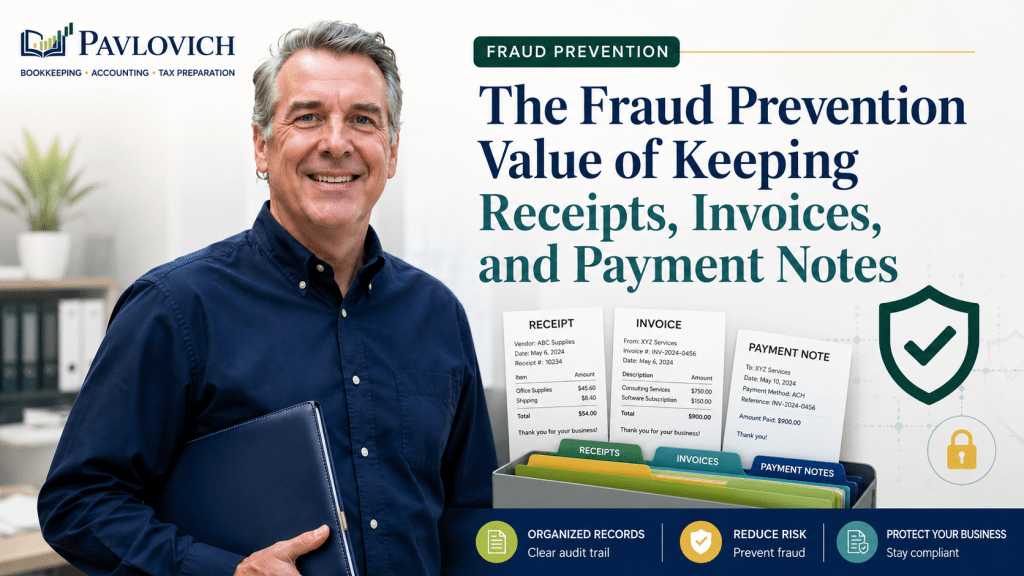
Bank feeds make bookkeeping faster, but they do not tell the whole story. That’s why receipts matter for bookkeeping and are an essential part of accurate financial records.
A bank or credit card transaction usually shows the date, merchant, amount, and account used. That information confirms that money moved. However, it may not explain what the business purchased, why the purchase was necessary, or whether the transaction included both business and personal items.
Receipts provide that missing context.
When you consistently save receipts and add notes where needed, your bookkeeper can organize transactions more accurately. Better documentation also supports clearer financial reports, smoother tax preparation, and a stronger understanding of where your business money goes.
A Bank Feed Shows the Payment, Not the Purchase
Connected bank feeds can save time by bringing transactions into QuickBooks or another bookkeeping system. They work well for charges that follow a clear and predictable pattern, such as monthly insurance payments, bank fees, or recurring software subscriptions.
Other transactions require more information.
Consider a $325 charge from a home improvement store. The bank feed may show the store name and total, but the purchase could include:
- Materials for a customer project
- Small tools
- Safety equipment
- Cleaning supplies
- A larger piece of equipment
- Personal household items
Each item may belong in a different bookkeeping category. Without the receipt, your bookkeeper may have to guess, contact you for clarification, or leave the transaction unresolved.
The same issue can occur with purchases from online retailers, warehouse stores, restaurants, office supply stores, and general merchandise retailers. A merchant name rarely provides enough detail by itself.
What Information Does a Receipt Provide?
A useful receipt may show:
- The vendor or merchant
- The purchase date
- Individual items or services
- Quantities
- Discounts
- Sales tax
- Refunds or credits
- The total amount paid
- The payment method
- Warranty or equipment information
Some transactions also need a short note explaining the business purpose.
For example, a restaurant receipt confirms where and when you ate, but it may not explain why the meal related to the business. Adding a note such as “Lunch with supplier to discuss fall inventory” gives your bookkeeper and tax preparer more useful information.
Likewise, a receipt from a hardware store may show the products purchased, while a note such as “Materials for Smith bathroom project” connects the expense to a specific job.
These details help turn a payment into a complete business record.
Receipts Make Financial Reports More Useful
Receipt organization is not only about tax preparation. It also affects the quality of the financial information you use throughout the year.
Your profit and loss statement groups income and expenses into categories. When those categories accurately reflect your business activity, you can answer practical questions such as:
- How much are we spending on materials?
- Have software costs increased?
- Are vehicle expenses rising?
- Which jobs require the most supplies?
- Are equipment purchases affecting this month’s profit?
- How much money goes toward recurring overhead?
Poor documentation can distort those answers.
Suppose a contractor buys $1,500 of materials and a $600 power tool in one transaction. If the entire purchase gets recorded as general supplies, the expense categories may not accurately describe what happened. The business owner may underestimate equipment purchases and overestimate routine supply costs.
A receipt gives the bookkeeping and accounting process the detail needed to produce more meaningful reports. As a result, the owner can review the business with greater confidence instead of relying on categories built from incomplete information.
Purchases That Often Need Receipt Details
Some transactions create more bookkeeping questions than others.
Mixed Retail Purchases
Warehouse clubs, department stores, home improvement stores, and online marketplaces often sell many different types of products.
One transaction might include office supplies, customer materials, food, cleaning products, equipment, and personal purchases. The receipt allows your bookkeeper to split the total into the appropriate categories rather than assigning the entire amount to one expense.
Whenever possible, separate business and personal purchases before you reach the register. When that is not practical, mark the personal items or add a note to the receipt.
Meals and Business Meetings
A restaurant name and payment amount do not establish the reason for a meal.
Keep the itemized receipt and add a brief note that identifies the business purpose. Depending on the circumstances, that note might mention a client meeting, vendor discussion, employee event, conference, or business travel.
Travel, gift, and vehicle-related expenses may require additional documentation. The IRS notes that taxpayers generally need documentary evidence to support business expenses and that certain categories require extra evidence. (IRS)
Equipment and Technology
Electronics stores and equipment suppliers may sell computers, monitors, printers, tools, warranties, cables, accessories, and ordinary supplies in the same transaction.
Those details can affect how the purchase appears in the books. A larger equipment purchase may require different review than a routine office supply expense.
Keep the full receipt, including the product description, model information, and warranty details when available. That documentation may also help with insurance, repairs, replacement decisions, and future disposal of the asset.
Software and Online Services
Recurring online charges sometimes appear under a payment processor or parent company instead of the product name you recognize.
An invoice or emailed receipt can confirm:
- The service purchased
- The billing period
- The number of users
- The subscription level
- Additional fees
- Whether the charge renews monthly or annually
This information helps you identify unused services, duplicate subscriptions, and rising technology costs.
Travel Expenses
Business trips can involve airfare, hotels, rideshares, parking, tolls, meals, conference fees, and other costs.
Receipts help separate business expenses from personal spending. A short note describing the trip, event, or customer visit can make the purpose clearer months later.
Purchases Made With Personal Funds
New business owners and sole proprietors sometimes use a personal card for a business purchase.
The bank feed for the business account will not capture that transaction because the payment occurred elsewhere. Saving the receipt and promptly telling your bookkeeper allows the purchase and any related owner contribution or reimbursement to receive proper review.
Without that documentation, a legitimate business purchase may never appear in the company’s financial records.
Missing Receipts Create Delays and Uncertainty
When receipts are missing, bookkeeping often turns into a monthly investigation.
Your bookkeeper may need to:
- Send questions about individual transactions
- Search through prior emails
- Review vendor websites
- Wait for replacement invoices
- Separate personal and business amounts
- Leave transactions uncategorized
- Revisit the same items during the next reporting period
One missing receipt may not create a significant delay. Dozens of unclear transactions can slow down the entire monthly close.
Unanswered questions also affect financial reporting. Expenses may remain in temporary or miscellaneous categories, which makes it harder to understand what the business actually spent.
Catch-up bookkeeping becomes even more difficult. A recent purchase may be easy to remember, but a charge from eight months ago can be much harder to explain.
Saving documentation when the transaction occurs reduces those questions later.
What Does the IRS Say About Business Records?
The IRS allows businesses to choose a recordkeeping system that fits their needs, provided the system clearly shows income and expenses. Business books should summarize transactions, while supporting documents provide the information behind those entries. (IRS)
Supporting documents can include:
- Receipts
- Invoices
- Paid bills
- Sales slips
- Deposit records
- Canceled checks
- Credit card records
- Electronic payment documentation
For an expense, the supporting records should generally identify the payee, amount, payment evidence, date, and a description showing that the purchase related to the business. In some cases, a combination of records may be necessary to document all parts of a transaction. (IRS)
A bank statement may provide proof that you paid a merchant, but it may not describe the item or service you received. That is why a bank transaction and a receipt serve different purposes.
Record retention periods vary based on the item, event, or tax issue involved. The IRS generally advises taxpayers to keep records supporting income, deductions, or credits until the applicable period of limitations expires. Records related to property may need to remain available longer. (IRS)
Receipt organization improves your documentation, but it does not determine whether an expense qualifies for a tax deduction. Ask your tax preparer or CPA about the treatment and retention requirements that apply to your situation.
Can You Store Receipts Digitally?
A digital receipt system can work well when it accurately captures the original document and keeps the information readable, organized, secure, and retrievable.
IRS guidance allows qualifying electronic storage systems to image paper records. The system must preserve an accurate and complete copy, protect record integrity, provide an effective retrieval method, and reproduce legible records when needed. (IRS)
In practical terms, avoid blurry photographs, incomplete screenshots, and files with names that provide no clue about their contents.
A useful digital copy should show the full receipt, including:
- Merchant information
- Purchase date
- Individual line items
- Total paid
- Payment information
- Notes or markings you added
Back up important records instead of relying on a single phone, email account, or computer.
How QuickBooks Can Help Organize Receipts
QuickBooks Online allows users to upload receipt files from a computer or Google Drive, email receipts into the system, or capture images through the mobile app. Uploaded receipts appear for review and may be matched with existing transactions. (QuickBooks)
That process can keep source documents close to the related bookkeeping entries. However, the software still needs human review.
A receipt capture tool may read the date, merchant, or amount incorrectly. It also cannot always determine the business purpose, identify personal items, or choose the most useful bookkeeping category.
Technology can speed up the workflow. It cannot replace a thoughtful review of what the transaction represents.
Build a Receipt Process You Can Maintain
The best receipt system is not necessarily the most complicated one. It is the system you and your team will use consistently.
Start with these steps:
1. Choose One Primary Storage Location
Use QuickBooks, a secure cloud folder, a document management system, or another organized location.
Avoid spreading receipts across text messages, email inboxes, desk drawers, vehicles, and several unrelated apps.
2. Save Receipts Promptly
Take a clear photo of a paper receipt before it fades or gets lost.
Download digital invoices when you receive them instead of assuming the vendor will keep them available forever.
3. Use Consistent File Names
A clear file name makes documents easier to find.
For example:
2026-07-15-home-depot-smith-project-325-40.pdf
This format identifies the date, vendor, purpose, and amount without requiring you to open the file.
4. Add Notes While the Purchase Is Fresh
Record the business purpose for meals, travel, mixed purchases, reimbursements, unusual vendors, and customer-specific expenses.
A five-word note today can prevent a lengthy search six months from now.
5. Review Missing Documents Each Month
Do not wait until tax season to search for receipts.
Review unclear transactions during the monthly bookkeeping process while the purchases remain easier to remember.
6. Keep Personal and Business Purchases Separate
Separate accounts and cards create a cleaner financial trail.
When a mixed purchase occurs, identify the personal items immediately and give your bookkeeper the information needed to split the transaction.
What Should You Do When a Receipt Is Missing?
First, look for another source document.
You may be able to retrieve:
- A replacement invoice
- An emailed confirmation
- An online order summary
- A vendor account statement
- A payment processor record
- A signed agreement
- A mileage or travel record
Next, write down what you remember about the purchase, including the business purpose and the items involved. Give that information to your bookkeeper rather than selecting a category based only on the merchant name.
A personal note does not automatically replace required documentation or prove that an expense qualifies for a deduction. However, it can help your bookkeeping team understand the transaction and identify what additional information may be needed.
For tax treatment, discuss the missing documentation with your tax preparer or CPA.
Receipts Help You Understand Where Your Business Stands
Receipts may feel like small pieces of paper or routine email attachments, but they support a much larger financial process.
A bank feed confirms that money moved. The receipt explains what you purchased. A short note connects the purchase to the business. Accurate bookkeeping then organizes those details into financial reports you can use.
Together, these records help you:
- Understand where money is going
- Review expenses more accurately
- Monitor recurring costs
- Prepare more reliable financial statements
- Answer bookkeeping questions sooner
- Maintain tax-ready financial records
- Work more efficiently with your tax preparer or CPA
Pavlovich Bookkeeping & Accounting helps small business owners turn everyday financial activity into organized records and understandable reports. When your receipts, transactions, reconciliations, and financial statements work together, you gain a clearer view of your business instead of a simple list of payments.
Need help organizing your books and creating a more dependable monthly process? Schedule a consultation with Pavlovich Bookkeeping & Accounting.